It’s hard to leave our desks behind, even when we struggle to sit in a chair.
There are some things to make it easier, and let us be comfortable longer, in a chair or bed.
Location, Location, Location
Desk
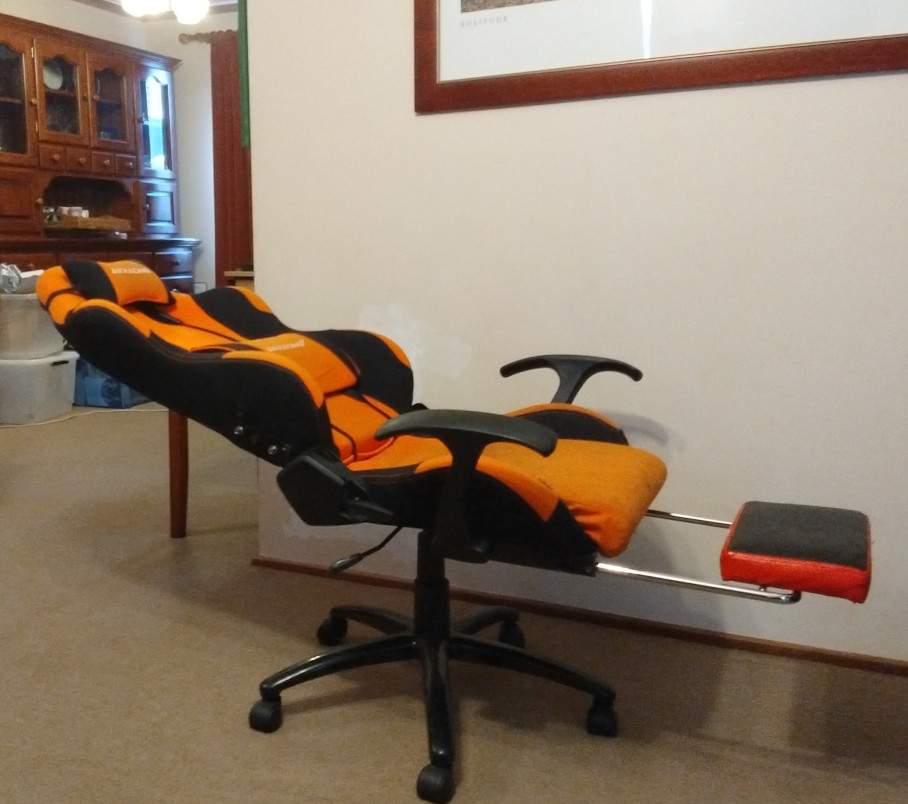
Supportive Chair
Most chairs don’t go back this far, but leaning back with head support makes a desk far more bearable.
This is based on a chair from AKRacing, with heavy mods.

Ergonomic mouse
Vertical Mice
Can make a huge difference.
They provide a more natural position for your hand, and are much more comfortable to use if you have carpal tunnel syndrome .
Officeworks has a pretty decent one for just $20.
I might also have the Logitech one, but if you shop around, you can get it for under $100.
It also has Bluetooth, and supports connection to three computers simultaneously!
(but not to an old Mac mini via Bluetooth)

Finding one for a lefty is harder, but Contour make some amazing mice. I haven’t tried one of their fully adjustable vertical mice.
They have a Nordic/Dansk vibe for my fellow aesthetes out there, as well as a 30-day money back guarantee. Which is good, because some of their models, yow.

I have ordered some of their dual handed ones (Thank you NDIS), in the hope of finding the best solution for my wrists. Be careful not to order when in Brain Fog though, as some of the suppliers on Amazon charge literally three times as much for the same product.


Ergonomic mousepads
Make a little difference.
You get a free one with the Logitech MX Vertical
Eyes
My eyes are the first thing to get tired, and there are some easy ways to be more gentle on them.
Reduce Brightness
On your monitor, reducing/playing with brightness + contrast settings can help many people.
Indirect Lighting
Sitting in the dark might seem ideal but it’s actually easier on your eyes to have indirect lighting

Bias Lighting
is even better. It is really easy to do, and although most gamers do it to look cool, it is much gentler for your eyes.
LED strips can be stuck or hung to the back of your monitor.
Fun in Bed
Not that sort… but here are some ‘Structural changes’ to and around my bed to make it more adaptive. And a little more